Membership
ToolSuite VIP Access Review
I joined ToolSuite VIP Access on the monthly plan and had a very good experience. Here’s what the tool library includes, how the browser setup works, and where the credit limits matter.
The quick verdict
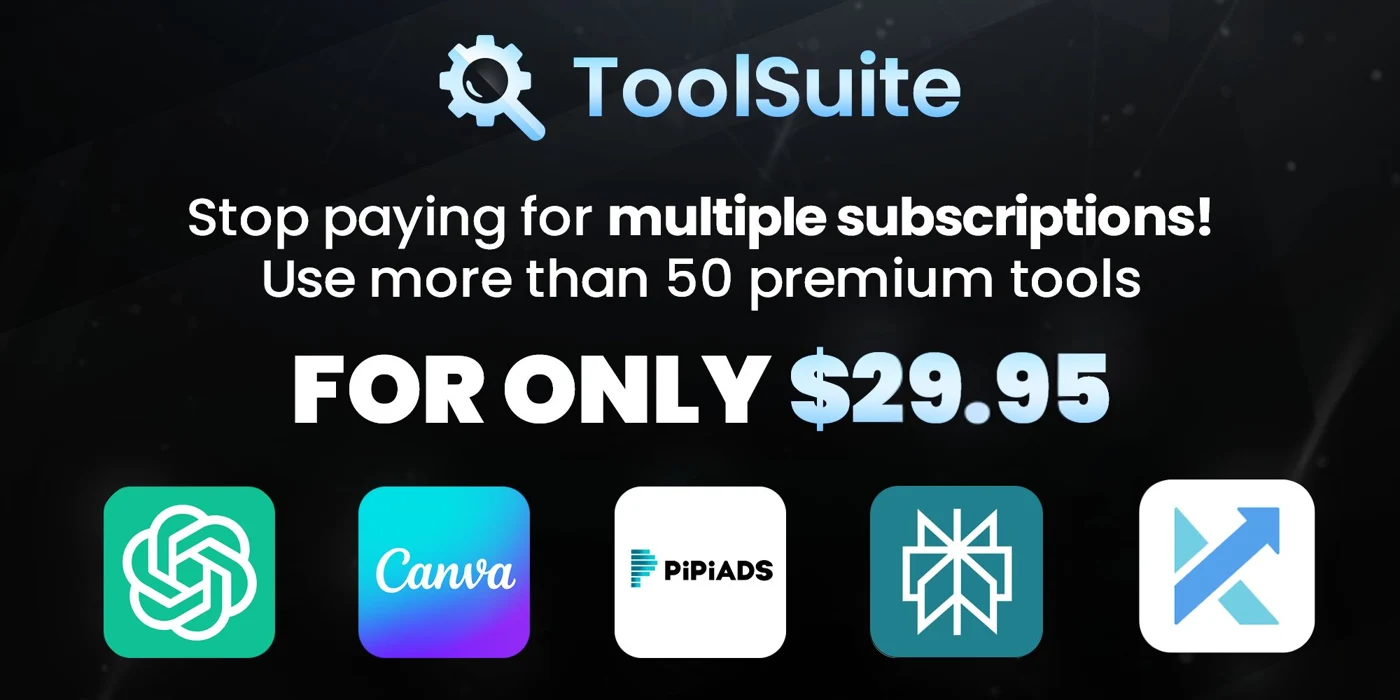
I’m glad I joined ToolSuite VIP Access. I got what I wanted from paying for one bundle instead of dealing with separate subscriptions for each tool. The $29.95 monthly plan makes the most sense to me for someone who regularly needs several of the tools.
At a glance
- Monthly price
- $29.95 per month
- Lifetime option
- $349.95 one-time payment
- What’s included
- 50+ tools advertised, Discord, announcements, and a Partners area
- How access works
- Private browser with a custom extension
- Credit limits
- Some AI and credit-based features have limits
- Cancellation and refunds
- Cancel anytime. Access continues through the billing cycle. Sales are final.
What Is ToolSuite VIP Access?
ToolSuite VIP Access is a paid membership that gives you access to a collection of business tools. I joined on the monthly plan and had a very good experience. The idea is simple: one subscription gets you into a library of tools for work such as ecommerce research, checking ads, and creating content.
ToolSuite says the library includes more than 50 tools. I care more about what’s in the library than the number on its own. A bundle becomes useful when several of the tools fit the work that’s already on your desk.
Think of an ecommerce project that starts with looking at products and ends with making an ad. Those are different jobs. The tool that helps someone spot an interesting product may have very little to do with the one that helps them understand how other shops are presenting it.
That’s where a bundle makes sense to me. It gives those jobs a common starting point and rolls access into one payment. It can also make it easier to see where one tool’s job ends and where another one becomes useful.
ToolSuite delivers access through a browser and a custom extension. An extension is a small add-on that gives a browser an extra function. Here, its role is to help members open the tools included with the subscription.
That setup makes ToolSuite a different kind of purchase from buying a subscription directly from a software company. The membership is the route into the library. It’s worth understanding that distinction because it affects where the tools open, how credits work, and what access looks like when the membership ends.
ToolSuite VIP Access Pricing and What’s Included
I joined on the monthly plan. The current price is $29.95 per month, and the plan renews monthly. That’s the price attached to the offer linked in this review.
The Lifetime option costs $349.95 as a one-time payment. The two options ask for very different amounts upfront, for access to the ToolSuite library. I took the monthly route, and that’s the plan my review is about.
At the current monthly price, three months comes to $89.85 and six months comes to $179.70. Twelve monthly payments come to $359.40 if the rate stays the same. I see that math as a useful way to understand the commitment before comparing the plans.
The difference between $349.95 and a year of monthly payments is only $9.45. The one-time offer starts making sense on a different time scale from the monthly plan. How much someone saves after that depends on how long the access lasts and how useful the library stays for their work.
A one-time payment means the plan has no scheduled recurring bill. The time a member can keep using a specific tool still depends on the terms and the membership’s available catalog. I see that as an important detail here because the value comes from the tools people can use over time.
The membership includes access to the tool library, the browser setup, Discord access, announcements, and a Partners area. Some tools use credits, and those can come with their own limits. The fee buys access to the bundle under ToolSuite’s terms.
Cancellation is simple to understand. ToolSuite says the subscription can be canceled at any time and access remains active until the end of the billing cycle. Its refund policy says sales are final because access begins after payment.
I like the monthly plan in the context of those terms. It kept the initial purchase smaller, and I’m happy with the value I got from joining. The renewal and refund policies also make it clear why canceling a subscription and getting money back are two separate things.
ToolSuite VIP Access Features
A library of more than 50 business tools
The library is the main reason to pay for the membership. It puts different kinds of software together for people who work across ecommerce, advertising, and content. I like that the idea solves a clear problem: one project can send you to several different tools in a single week.
Ecommerce is an easy example. Early in a project there might be a question about what products are getting attention. Later, the same project might call for looking at ad formats or preparing material for a product page. Those stages need different information.
A broad library gives the membership some flexibility as work changes. A product research tool can matter more in one week, while creative tools may matter more when a promotion is taking shape. That is a better explanation of why I like the bundle than saying there are a lot of buttons in the menu.
There’s also a point where a big catalog stops being the deciding factor. Someone who needs only one specific tool might care more about that tool’s limits than the rest of the library. Someone working across several tasks may get more value from being able to open several tools under the same membership.
I’m keeping this review focused on the access that ToolSuite sells. A tool catalog can change with supplier arrangements and availability. For work that depends on a particular app, the exact app and the features available to members matter more than any headline tool count.
The private browser and custom extension
The browser is one of the more important parts of ToolSuite because it’s how members reach the library. The service describes a private browser environment with its own extension. From there, members select a tool, and the system handles the login.
I like that this makes the process easy to picture. The membership gives you a place to start, and the tool opens through that setup. There’s less reason to think about how several separate subscriptions would fit together just to get from one task to the next.
For somebody who has never used a membership like this, the browser step matters. It means there’s a setup to get through before the tools become available. That feels like a fair trade-off for the kind of access being sold, and it’s an important part of how the product works.
The word private describes ToolSuite’s browser setup. It doesn’t tell me how every software provider handles uploads, project history, or account settings. I treat those as questions about the specific service because a private browser and a dedicated account mean different things.
Automatic access to individual tools
Automatic sign-in is the feature that makes the library feel like one service. The provider describes the flow as choosing a tool and opening it already signed in through the browser. That’s an appealing part of the membership when the alternative would involve setting up several accounts and handling each one separately.
The convenience comes with a clear boundary. Access runs through the membership setup, so the experience depends on ToolSuite being able to keep that route working. With a direct subscription, the account and its access sit with the software provider.
That difference matters more on some jobs than others. Researching a product or browsing ad examples may be fine as a task that starts and ends in the tool. A project that depends on account history, permissions, or collaboration has more to consider than whether the tool can open.
I see automatic access as a convenience feature. The real benefit is what being able to open several tools does for the work. The reason I like the membership is that those tools have a place together, and this feature is how ToolSuite ties that place to the actual apps.
Credits and limits on some tools
ToolSuite says it refills credits across a number of tools as needed. A credit is a unit some apps use to count actions, such as a generation or another feature that costs resources to run. The policy also says some AI or credit-based features may be limited so the service can stay usable for members.
That detail is worth spelling out because access and allowance are different. Access means the tool is available through the membership. An allowance is how much of a credit-based action can be done within whatever limits apply at the time.
I can see why those limits exist in a bundle. A person doing a few research tasks uses a service differently from somebody who needs to create a very large batch in one sitting. Those two people can see the same tool listed and get different value from it.
The public policy doesn’t promise a fixed number of credits for every tool. I see the flexibility of having several tools as a positive. For work that depends on a set number of generations or other paid actions, the limit on that feature is part of the value of the membership.
Announcements and the Partners area
The membership includes an Announcements area and a Partners area. I think announcements make particular sense for a tool library because the product includes more than one app. Changes can affect a single tool, part of the setup, or something about how members get access.
That gives announcements a practical job. A useful update can explain whether a change affects everyone or only people who use one part of the library. I see more value in that kind of communication than in a long list of announcements with no connection to members’ work.
The Partners area has its own place in the membership. I see it as an extra alongside the service’s main features. The public description gives less detail on specific partner offers, so the reasons I like the purchase still come back to tool access, pricing, and the browser setup.
Support and access rules
Support matters in any membership that sits between the customer and several software tools. If one app is having a problem, the experience can depend on whether the issue is with that app or with the way it opens through ToolSuite. The provider can help members understand which part is causing the problem.
ToolSuite promotes quick support. What I find valuable is having a support route for the setup as a whole. The materials don’t give me a basis to promise a response or repair time, and problems with external tools can have different causes.
The membership also has a clear rule about sharing. ToolSuite prohibits sharing access with other people and says breaking that rule can lead to a ban without a refund. I treat it as a membership for the person who paid for it.
ToolSuite VIP Access Discord Community
Discord access is included with ToolSuite VIP Access. I see the Discord as the community side of the membership, while the private browser and extension are the access route to the tools. Those are separate parts of the service with different jobs.
That difference is helpful because joining a Discord server isn’t the same as opening a business app. The value of the tool library comes from what’s available through the browser. The community is another place for members to keep up with a service that can change as tools and access arrangements change.
I like that the offer has room for both. The browser can stay focused on getting into the apps, while member communication has a place of its own. That division makes sense for a bundle where different people may be using different parts of the library on the same day.
The public details confirm Discord access. They say less about the exact channel list, who handles individual questions, or how often new information is posted there. The community is part of what comes with the paid membership, and the access alone is the clearest thing to say about it.
My Results With ToolSuite VIP Access
I paid for ToolSuite VIP Access and had a very good experience. I got what I wanted from the membership, which is why I’m comfortable giving it a positive review. I’m sharing my overall experience here and describing the individual features in terms of what the service offers.
The part I keep coming back to is how easy the value is to explain. There’s a library, a way into it, and one recurring fee on the monthly plan. For work that touches several areas, that’s an arrangement I like.
I also appreciate that the value can be judged in everyday terms. The question is which of the tools fit the work and what it costs to have access to them together. A long list of features can make a membership look bigger, but how those features fit together is what makes it useful to me.
The strongest part of the purchase for me was the bundle itself. It was a good experience for what I wanted to get out of it. That overall experience is what my verdict is based on.
ToolSuite VIP Access Pros and Cons
What I like about it
The biggest pro for me is having several tools under one subscription. That fits the way ecommerce and content work can move between tasks. It can be a good arrangement for someone doing research one day and dealing with ads or creative work the next.
I also like that the service has a clear method for opening the tools. The browser and extension explain how one membership can lead to a library of separate apps. Automatic sign-in is a meaningful part of that convenience.
The monthly option keeps the initial commitment smaller than the one-time option. That was the plan I joined, and I was happy with my experience on it. I like being able to judge a subscription on what I get from it without putting down the larger amount upfront.
Discord and announcements are useful additions to a service with a changing catalog. The main value is still access to the apps. Those additions give the membership another way to communicate when something changes.
The trade-offs
The first trade-off is depending on the browser setup to open the tools. That can work well for getting several apps under one roof. It may be less suitable for someone who wants their own independent subscriptions, account settings, or team access with particular providers.
The second is that some apps can have credit or feature limits. ToolSuite explains that such limits can apply, which is important for anyone working in large batches. A person using a tool occasionally will feel those limits differently from someone who uses it all day.
The third is the refund policy. Sales are final under ToolSuite’s terms. Cancellation can stop a future renewal, and the remaining time in the billing cycle stays available.
The fourth is that a changing catalog can affect the value of the bundle. I like having access to a range of tools, but some people depend on one particular product for regular client work. In that situation, the terms and access around that particular product carry more weight than the rest of the library.
Is ToolSuite VIP Access Worth It?
It was worth it for me. I’m glad I joined the monthly plan and I had a very good experience with the membership. I like how clearly it solves the problem of getting to several tools without paying for access to each one separately.
I see the strongest fit for ecommerce operators, creators, and other people whose work regularly moves between research and production. There’s a clearer case for the membership when more than one tool has a real job to do. The $29.95 monthly price is easier to put in context once those jobs are clear.
For someone whose business relies heavily on a single app, the fit is narrower. A direct subscription can make more sense when dedicated access, a particular credit allowance, or account ownership is essential. That’s part of choosing between a bundle and a subscription to one tool, and it doesn’t change what I like about ToolSuite.
I also see the monthly and one-time plans as different commitments. The monthly plan is the one I chose and the basis for my positive experience. The bigger payment has more to do with how long a person expects to use the service than whether they like the idea of the bundle.
ToolSuite VIP Access FAQ
Do I get a separate account with each tool?
The advertised setup opens the tools through ToolSuite’s browser and extension. The system handles sign-in from that environment. That form of access differs from buying an account directly from each software company.
What kinds of work does the library suit?
The bundle makes the most sense to me for work that moves between several tools. An ecommerce project can call for product research and ad research in the same week, even when those jobs are done by one person. The catalog has more value when the tools match that spread of work.
The fit can be different for a team that already has a fixed set of apps. Account access, saved work, and the way coworkers share projects may matter more to that team than the size of a tool library. I see that as a practical difference between a bundle and a team subscription.
Is there a refund?
ToolSuite says sales are final once access is provided. Its monthly subscription can be canceled, with access continuing until the current billing cycle ends. A cancellation and a refund are different under that policy.
Can a team share one membership?
ToolSuite says sharing access is prohibited. The offer is for the member whose subscription provides access. A team that needs multiple people to use software has a different set of needs from one person using a bundle.
Are all features unlimited?
Some AI and credit-based features may have limits. ToolSuite says it refills credits as needed across many tools. The details can vary by tool and feature.
Does the membership include Discord?
Yes, Discord access comes with VIP Access. The tools themselves are opened through the browser setup. Discord, announcements, and the library are listed as separate parts of the membership.
Final Verdict
I’m glad I bought ToolSuite VIP Access. The monthly plan gave me what I wanted, and I like the idea of paying for one membership that gives me several useful tools. I see the most value for someone who has different jobs to do across ecommerce, research, or creative work and wants one place to start.
The membership makes sense to me when its terms are part of the picture. Some tools use credits, access runs through the browser, and sales are final. For my purchase, the convenience and range were enough to make the membership worth it.
Affiliate disclosure: I may earn a commission if you buy through the links in this review.